
Documentation
Private messaging for WordPress — one-to-one and group conversations, attachments, voice notes, reactions and moderation, with optional hosted realtime delivery so messages arrive the moment they are sent.
Getting started
1. Install
Plugins → Add New → Upload Plugin, choose the ZIP from your account, then Activate.
2. Add your licence
Talkzyo → General Settings. This switches on the paid features and enables instant delivery.
3. Choose where it appears
A floating bar, a full-page inbox, or message buttons on member profiles.
Activating creates the database tables Talkzyo needs and schedules its cleanup task. Nothing is visible to members until you pick a placement.
Upgrading? Install the new version over the old one. Conversations, settings and your licence all live in the database, not the plugin folder — so nothing is lost. You do not need to deactivate first, and you should not delete the old copy.
Requirements
| WordPress | 6.0 or later |
|---|---|
| PHP | 7.4 or later |
| HTTPS | Needed for voice messages and push notifications. Browsers refuse microphone and notification access on plain HTTP, so both are hidden rather than broken on an insecure site. |
| BuddyPress | Optional. Talkzyo runs standalone; when BuddyPress is active it uses member profiles, avatars and groups. |
Licence
Paste your key into Talkzyo → General Settings and save. The key is on your account page.
When a licence expires
Nothing breaks and nothing is lost. Messages still send and arrive, and every conversation stays intact. What stops is instant delivery — the chat falls back to checking on a timer — along with the other paid features. Renewing switches them back on with no reconfiguration.
A dismissible notice appears in your admin area during the two weeks before expiry.
Placement
Three options, and you can use more than one.
| Floating bar | A messenger-style bar fixed to the corner of every page for logged-in members. |
|---|---|
| Full-page inbox | A dedicated messages area. With BuddyPress it is added to member profiles automatically. |
| Message buttons | A button on member profiles and directories that opens a conversation with that person. |
The shortcode
To put the full inbox on any page or post of your own, use:
This is how you add a messages area on a site without BuddyPress — create a page, drop the shortcode in, and link to it from your menu.
Only logged-in users load the chat. Logged-out visitors download none of it, and the shortcode renders nothing for them.
Settings reference
Everything lives under Talkzyo in the WordPress menu, split across the panels below. Each one saves independently.
General
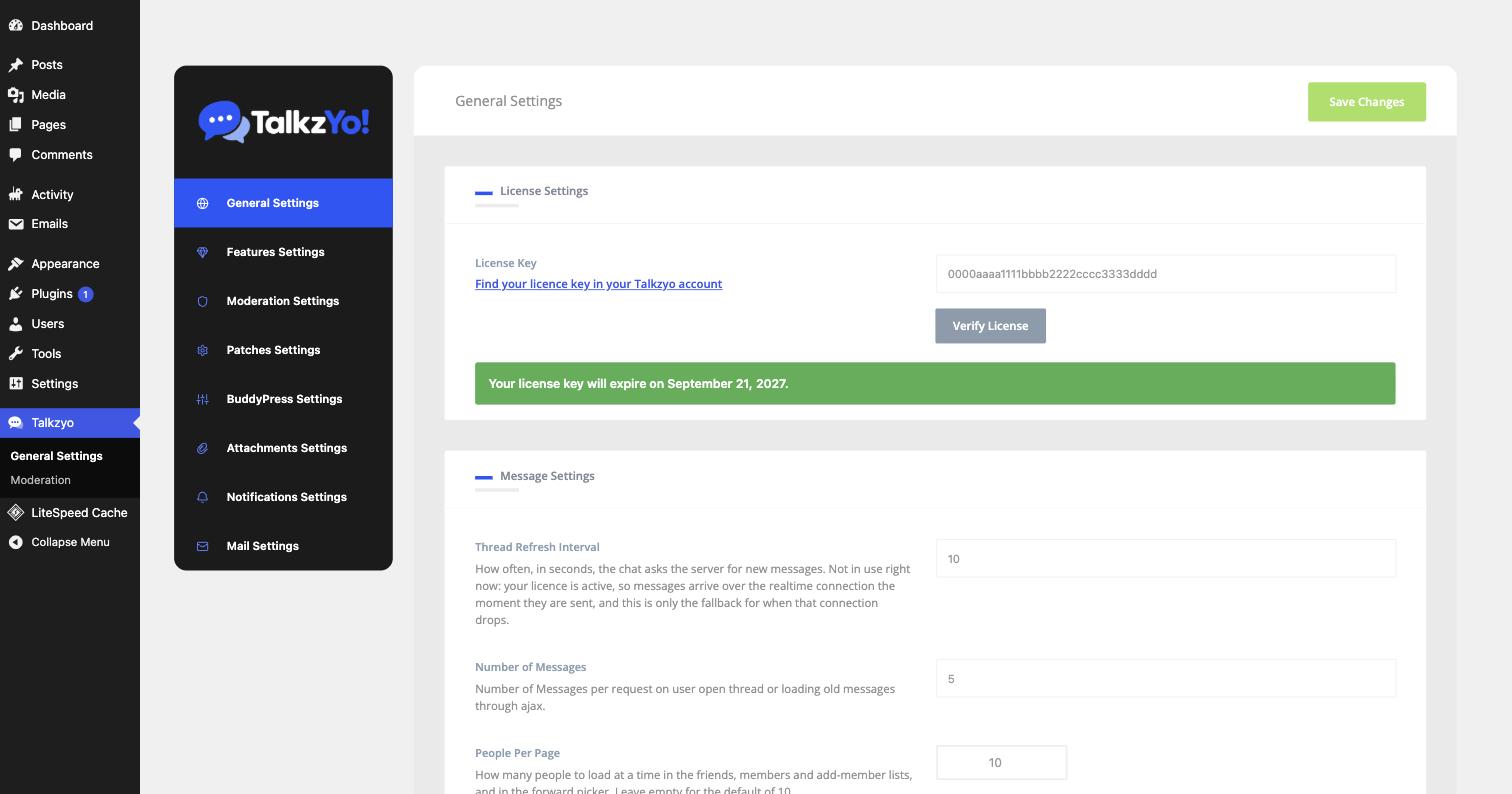
| License Key | Your key, from your account page. Verify it here; the panel then shows the expiry date. |
|---|---|
| Thread Refresh Interval | How often, in seconds, the chat asks the server for new messages. With an active licence this is only the fallback for when the realtime connection drops. |
| Number of Messages | Messages loaded per request when opening a thread or scrolling back. |
| People Per Page | How many people load at a time in member and forward lists. |
Features
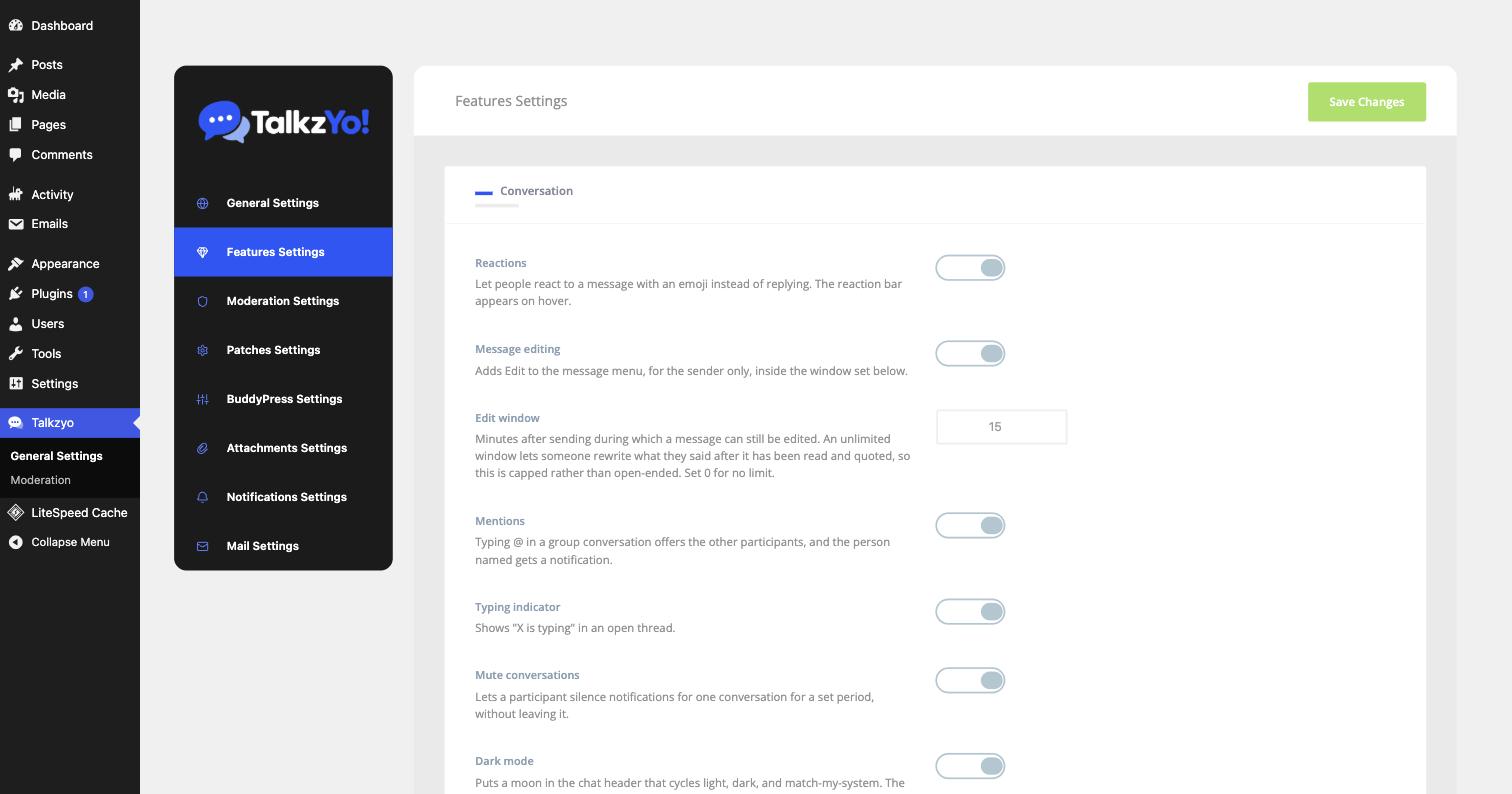
| Reactions | React with an emoji instead of replying. The bar appears on hover. |
|---|---|
| Message editing | Adds Edit to the message menu, for the sender only. |
| Edit window | Minutes after sending during which a message can still be edited. An unlimited window lets someone rewrite what they said after it has been read and quoted, so this is capped rather than open-ended. 0 removes the limit. |
| Mentions | Typing @ in a group offers the other participants; the person named is notified. |
| Typing indicator | Shows “X is typing” in an open thread. |
| Mute conversations | Lets a participant silence one conversation for a period without leaving it. |
| Dark mode | Puts a moon in the chat header that cycles light, dark and match-my-system. |
Moderation
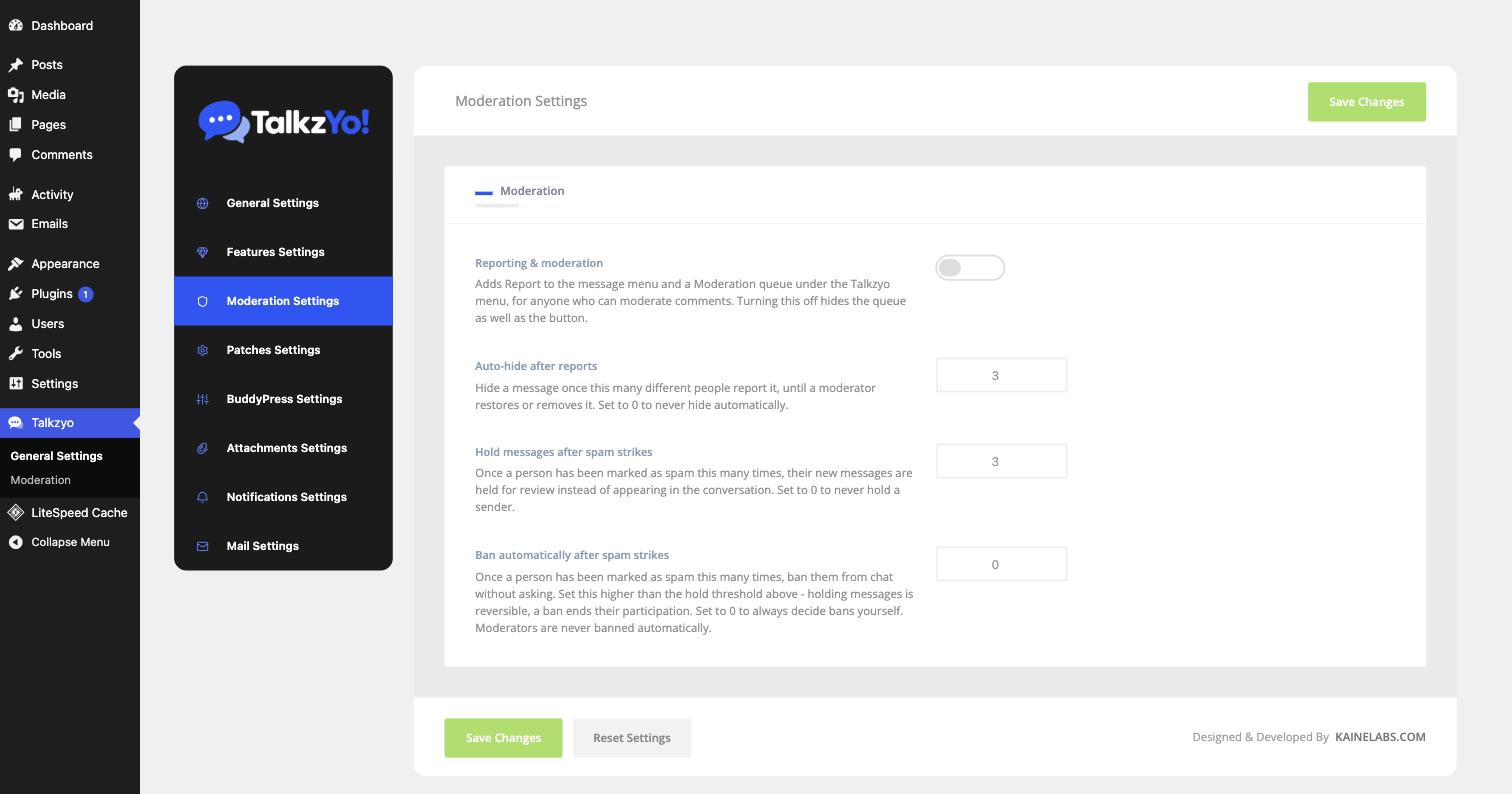
| Reporting & moderation | Adds Report to the message menu and a Moderation queue for anyone who can moderate comments. Turning it off hides the queue as well as the button. |
|---|---|
| Auto-hide after reports | Hide a message once this many different people report it, until a moderator restores or removes it. 0 never hides automatically. |
| Hold messages after spam strikes | Once someone has been marked as spam this many times, their new messages are held for review instead of appearing. |
| Ban automatically after spam strikes | Ban without asking after this many strikes. Set it higher than the hold threshold — holding is reversible, a ban ends their participation. 0 means you always decide bans yourself. Moderators are never banned automatically. |
Attachments
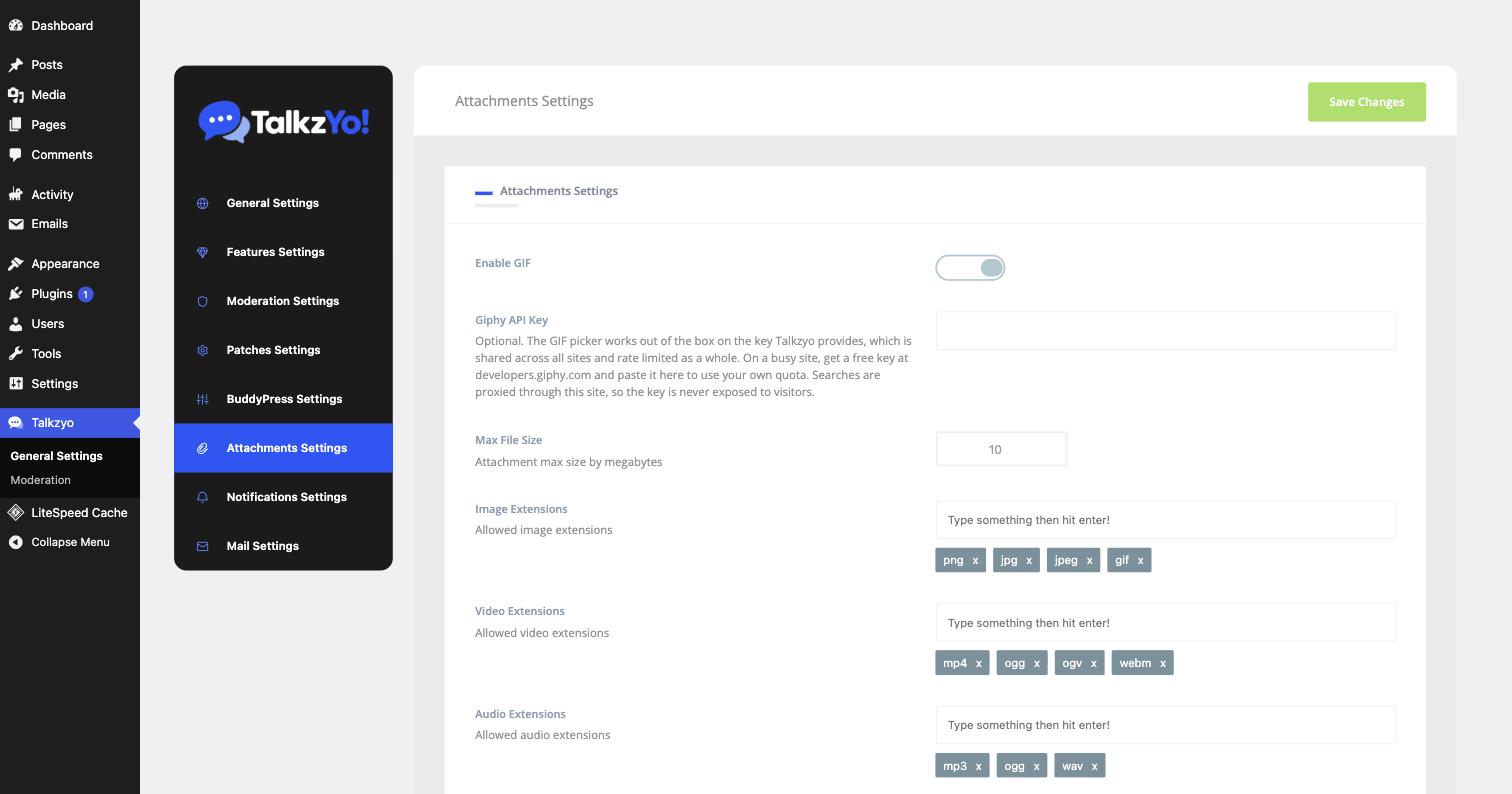
| Enable GIF | Shows the GIF picker in the composer. |
|---|---|
| Giphy API Key | Optional. The picker works on the key Talkzyo provides, which is shared across all sites and rate limited as a whole. On a busy site, get a free key from Giphy and paste it here to use your own quota. Searches are proxied through your site, so the key is never exposed to visitors. |
| Max File Size | In megabytes. Your host's upload_max_filesize still applies on top, and the smaller of the two wins. |
| Image / Video / Audio Extensions | Allowed file types, as a list you can add to or remove from. |
Notifications
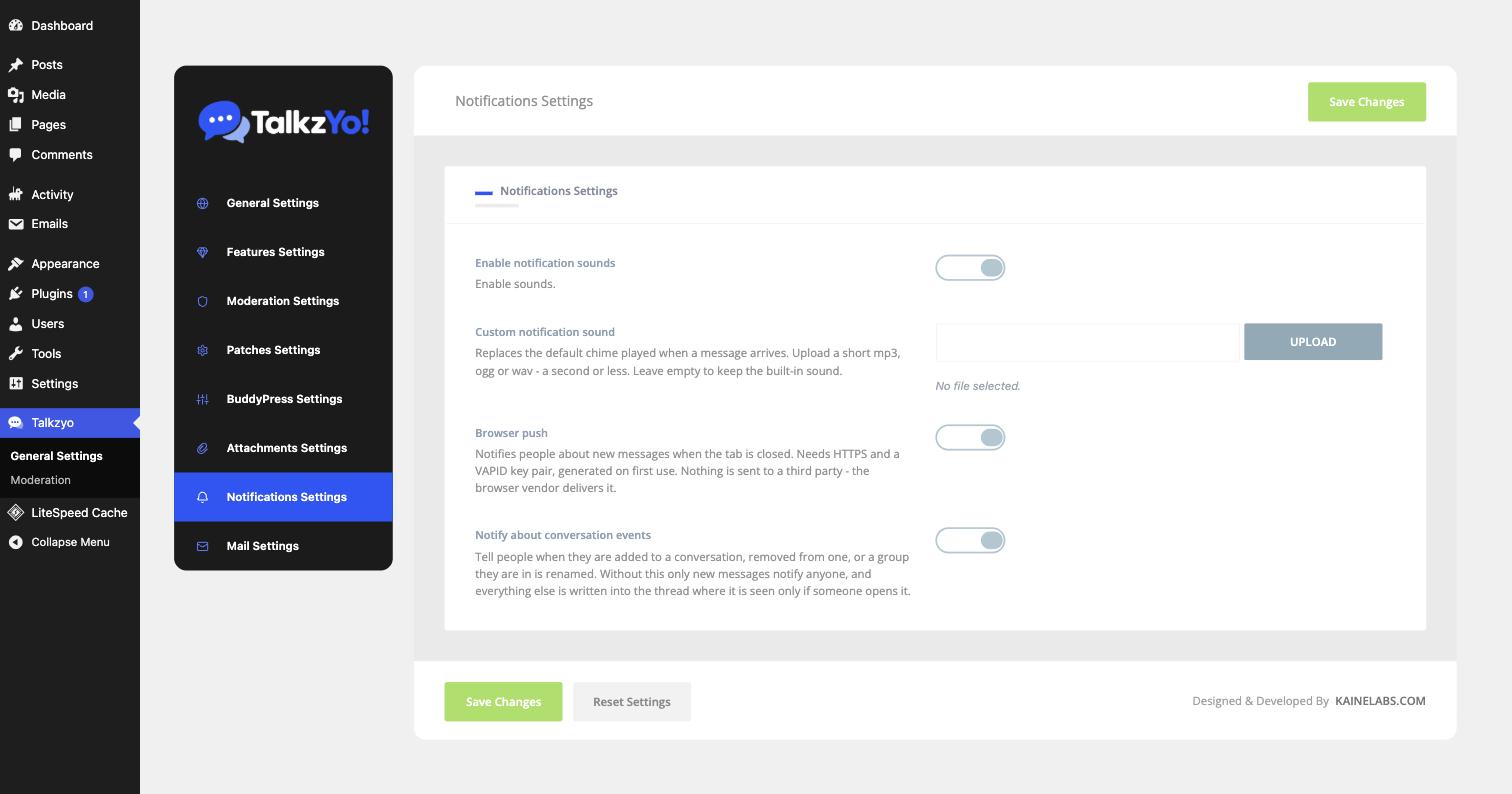
| Enable notification sounds | The chime played when a message arrives. |
|---|---|
| Custom notification sound | Replaces the default chime. A short mp3, ogg or wav — a second or less. Leave empty to keep the built-in sound. |
| Browser push | Notifies people about new messages when the tab is closed. Needs HTTPS and a VAPID key pair, generated on first use. Nothing is sent to a third party — the browser vendor delivers it. |
| Notify about conversation events | Tell people when they are added to a conversation, removed from one, or a group they are in is renamed. Without this, only new messages notify anyone. |
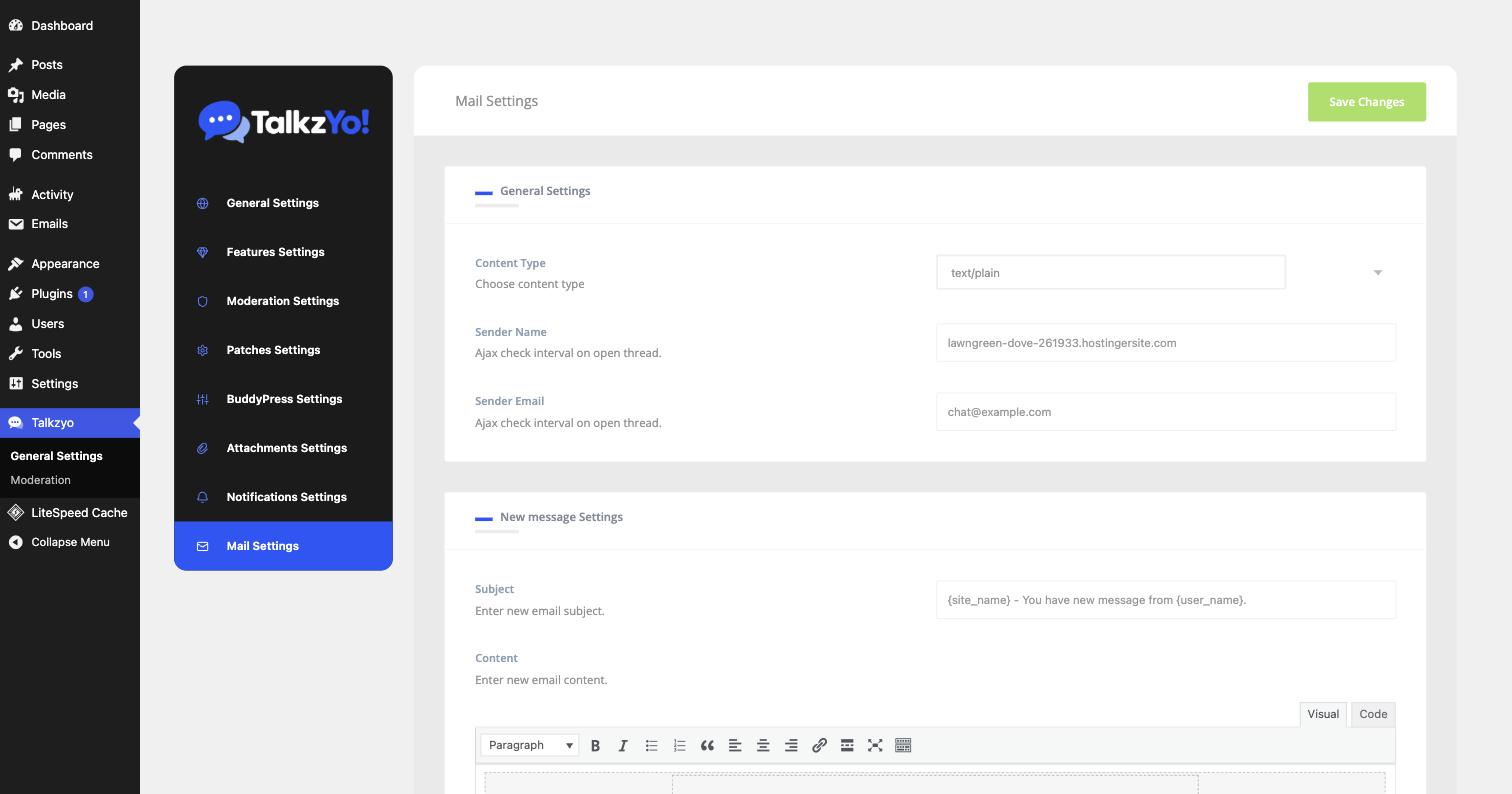
| Content Type | text/plain or HTML. |
|---|---|
| Sender Name / Sender Email | Who the email appears to come from. |
| Subject & Content | The template for each email type. Placeholders such as {site_name} and {user_name} are replaced when the email is sent. |
There is also a Patches panel. It runs one-off data migrations after certain updates and is not something you need to visit under normal circumstances.
What a licence includes
Talkzyo is a licensed plugin. A licence turns on everything below and registers your site for instant delivery; there is no free edition.
| Feature | With an active licence | If the licence lapses |
|---|---|---|
| One-to-one conversations | Yes | Yes |
| Group conversations | Unlimited members | Existing groups keep working; no new members past 3 |
| Image attachments & GIFs | Yes | Yes |
| Replies and quoting | Yes | Yes |
| Forward, star, archive | Yes | Yes |
| @mentions | Yes | Yes |
| Mute and block | Yes | Yes |
| Reporting abuse | Yes | Yes |
| Dark mode | Yes | Yes |
| Instant delivery | Instant | Falls back to a timer |
| Typing indicators | Yes | Off |
| Reactions | Yes | Off |
| Edit sent messages | Yes | Off |
| Voice messages | Yes | Off |
| Push notifications | Yes | Off |
| Moderation tools | Yes | Queue hidden |
A lapsed licence never costs you data. Every conversation, message and attachment stays exactly where it is, and the chat keeps working - messages send and arrive, just on a timer rather than instantly. Renewing switches everything back on with nothing to reconfigure.
Reporting is never switched off, licensed or not. A chat with no way to report abuse is a liability for whoever installed it. What a licence adds is the means to act on reports at scale - the queue, strikes, automatic hiding and bans.
Paid switches stay visible in the settings panel without a licence rather than disappearing, so you can see what a licence would turn on.
Realtime & privacy
With a licence, Talkzyo connects to a hosted realtime service so messages appear the moment they are sent. Without one it checks on a timer instead — slower, but complete.
Your messages never reach us
This is unusual, and deliberate. The realtime service carries signals, never content. When someone sends a message, the only thing that leaves your server is effectively “conversation 5 has a new message, number 900”. The recipient's browser then fetches the message itself from your own WordPress site.
Message text, attachments, voice notes and member details never pass through our infrastructure. We could not read your members' conversations if we wanted to.
It also means an outage of the realtime service degrades to timer mode rather than losing anything.
What the service does see
A per-site identifier, numeric user IDs, conversation IDs and message IDs — enough to route a signal to the right browsers, and nothing that says what was said.
Attachments
Members can attach images and files to a message, and send GIFs from the built-in picker.
The maximum file size is set per field in the plugin's settings, in megabytes, and is checked on the
server as well as in the browser — so raising it in one place is enough. Your host's own
upload_max_filesize and post_max_size still apply on top, and whichever is
smaller wins. If uploads fail at a size below your setting, that is usually the reason.
Files are stored in your own uploads folder, organised per member, and are removed when the message that carried them is deleted for everyone.
Voice messages
Hold the microphone button to record, then send. Recordings are stored in your own uploads folder like any other attachment.
- HTTPS is required — browsers will not grant microphone access otherwise.
- Press Enter while recording to send it. Shift+Enter still inserts a new line.
- Pause and resume mid-recording, or cancel to discard.
If a voice message shows a play button but does nothing, your server is sending the file as plain text instead of audio. Talkzyo writes the correct rules into wp-content/uploads/.htaccess on activation, but some hosts strip or ignore that file. Add these lines to it by hand:
AddType audio/webm .webm
AddType audio/ogg  .ogg
AddType audio/mpeg .mp3
AddType audio/mp4  .m4a
On nginx the equivalent belongs in your server's mime.types — ask your host.
Mentions
Type @ in the composer to search members of the conversation and insert a mention. The
person mentioned is notified even if the conversation is otherwise quiet.
Mentions are recalculated when a message is edited: adding someone notifies them, and removing them withdraws the notification rather than leaving it pointing at text that no longer names them.
Groups
Start a group by adding more than one person to a new conversation. Groups support a name, a photo and roles.
| Admin | Rename the group, change its photo, add and remove members, promote others. |
|---|---|
| Moderator | Remove members and moderate messages. |
| Member | Read and send. |
If a licence lapses, new groups are limited to 3 members until it is renewed. Existing larger groups are not broken — they keep working exactly as they were, you simply cannot add more people to them meanwhile.
With BuddyPress active, Talkzyo can mirror BuddyPress groups so a group's members get a shared conversation automatically.
Moderation
Any member can report a message or a person, on every site, licensed or not. With a licence you also get the tools to act, under Talkzyo → Moderation:
- A queue of reported messages and members
- Automatic hiding once enough distinct people report the same message — reversible, unlike deletion
- Strikes and bans, per conversation or site-wide
- A record of what was actioned and by whom
Push notifications
Members can opt in to browser notifications and be told about new messages when the tab is closed. Requires HTTPS and a licence.
Muted conversations never generate a push. Muting silences the interruption, not the conversation, and applies to reactions and group events as well as plain messages.
Email notifications
Talkzyo can email a member when they receive a message while they are away. Templates and triggers are configured in the plugin's settings.
Email uses whatever WordPress is already configured to use on your site. If your other WordPress email is not arriving, Talkzyo's will not either — that is a site-wide mail configuration issue, and an SMTP plugin is the usual fix.
A muted conversation never sends email, in the same way it never sends a push.
Privacy & data
Conversations, messages, attachments, read state, reactions and reports all live in your own database and uploads folder. Nothing is stored anywhere else.
Members can choose who may start a conversation with them, block individuals, and delete their own messages — either for themselves or for everyone. When a WordPress user is deleted, their messages and participation go with them.
Data export and erasure requests
Talkzyo registers with WordPress's own privacy tools, so it is included automatically in Tools → Export Personal Data and Tools → Erase Personal Data. A member's messages, conversations and attachments are part of the export, and are removed by an erasure request — you do not need to do anything special to handle a GDPR request for chat data.
Uninstalling
Deleting the plugin does not delete your conversations. The database tables and uploaded files are left in place deliberately, so that removing the plugin by accident — or reinstalling it — does not destroy every message on your site. If you genuinely want the data gone, it has to be removed from the database by hand.
Troubleshooting
Messages only appear when I reload the page
The chat is in timer mode rather than instant mode. Check your licence is active in Talkzyo → General Settings. If it is, the browser may be unable to reach the realtime service — a corporate firewall or a proxy that blocks WebSocket connections will do this. The chat keeps working either way; it just checks on a timer.
A voice message will not play
Almost always the server sending the file with the wrong type. See Voice messages for the four lines to add.
The chat does not appear at all
- Confirm you are logged in — logged-out visitors never load it.
- Confirm a placement is switched on in General Settings.
- Check the browser console for errors from another plugin. A JavaScript error raised elsewhere on the page stops everything after it from running, including the chat.
Unread counts look wrong
Reload the page — the count is recalculated from the database on load. If it is still wrong afterwards, please tell us: that is a bug and we would like to see it.
Translating
Talkzyo ships with a talkzyo.pot template in its languages folder and a
complete Arabic translation. Any tool that reads a POT file — Loco Translate, Poedit — will work.
Right-to-left languages are supported: the chat ships RTL stylesheets and flips its layout automatically when WordPress is running in an RTL locale, so Arabic and Hebrew read correctly without any configuration.
Translations you add to wp-content/languages/plugins/ survive plugin updates. Ones placed
inside the plugin folder do not.
For developers
Talkzyo is built around filters. Some of the more useful ones:
talkzyo_premium_features | Which features a licence gates. |
|---|---|
talkzyo_group_member_limit | Members allowed in a group; 0 is unlimited. |
talkzyo_refresh_mechanism | Force ajax, or leave it to the licence. |
talkzyo_docs_url | Where the plugin's Documentation link points. |
talkzyo_realtime_max_per_user | Concurrent connections allowed per member. |
Actions fire around the message lifecycle — talkzyo_message_after_save, talkzyo_message_edited, talkzyo_conversation_mute_changed and others — so you can hook your own behaviour on without patching the plugin.
Still stuck? Open a ticket from your account page and include your WordPress version, PHP version, whether BuddyPress is active, and anything in the browser console. That is usually enough to solve it on the first reply.